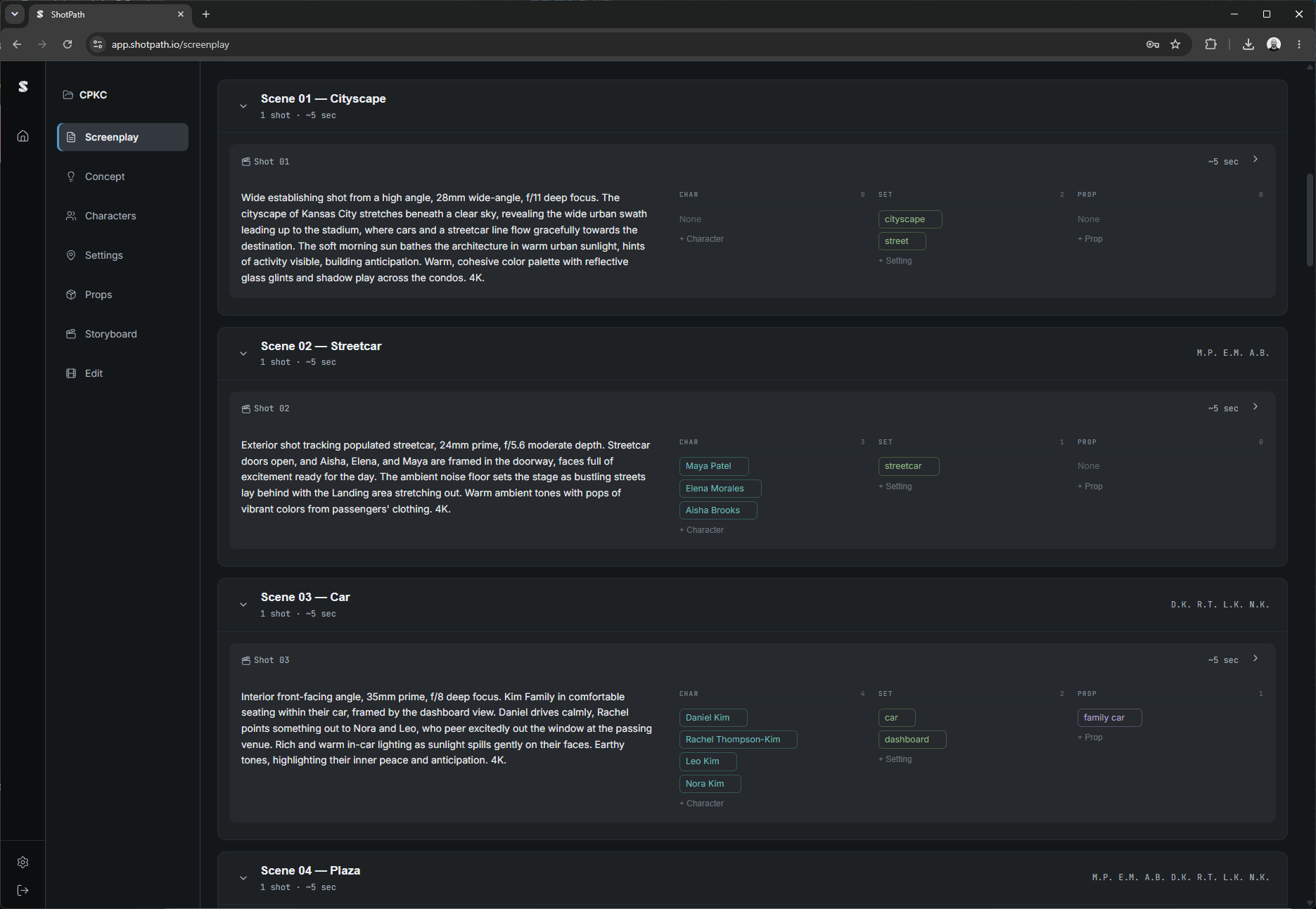
Write Smarter Scripts
Generate a complete screenplay from a brief — scenes, shot numbers, dialogue, camera direction, and timing — in seconds. Upload style reference images to ground the visual language before a single frame is drawn.
- Shot-by-shot breakdown with scene, camera angle, and action
- Dialogue lines with character attribution
- Configurable duration (seconds per shot)
- Up to 12 style reference images
- Export to structured format for storyboarding
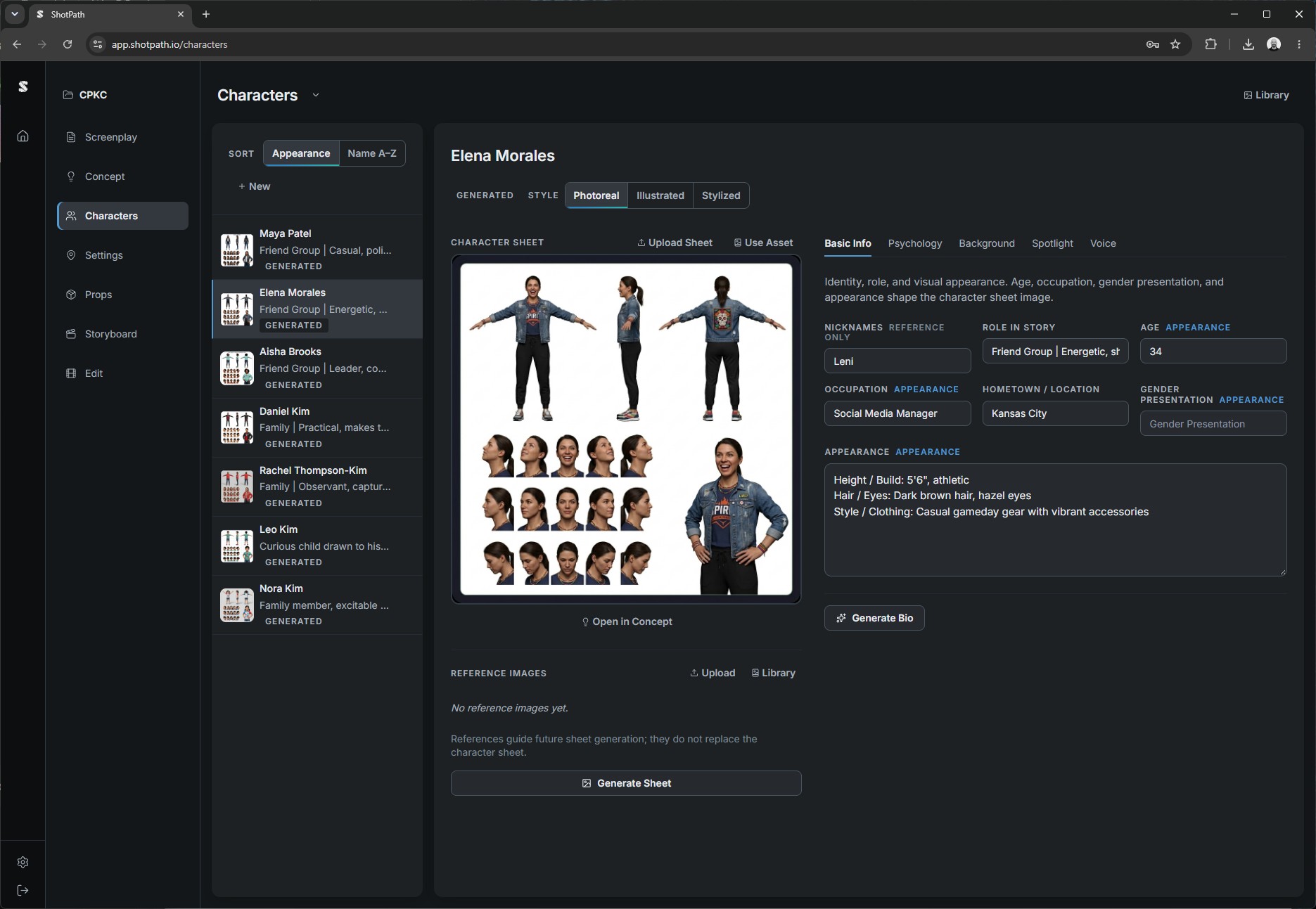
Build Characters That Stay Consistent
Define your cast once. ShotPath tracks every character across your project — physical description, psychology, background, and visual reference — so AI-generated images stay consistent from shot to shot.
- Full character profiles: physical, psychological, background
- AI-generated character sheet images locked to your description
- Appearance order tracking across the screenplay
- Characters auto-populate into storyboard prompts
- Import characters from existing screenplays
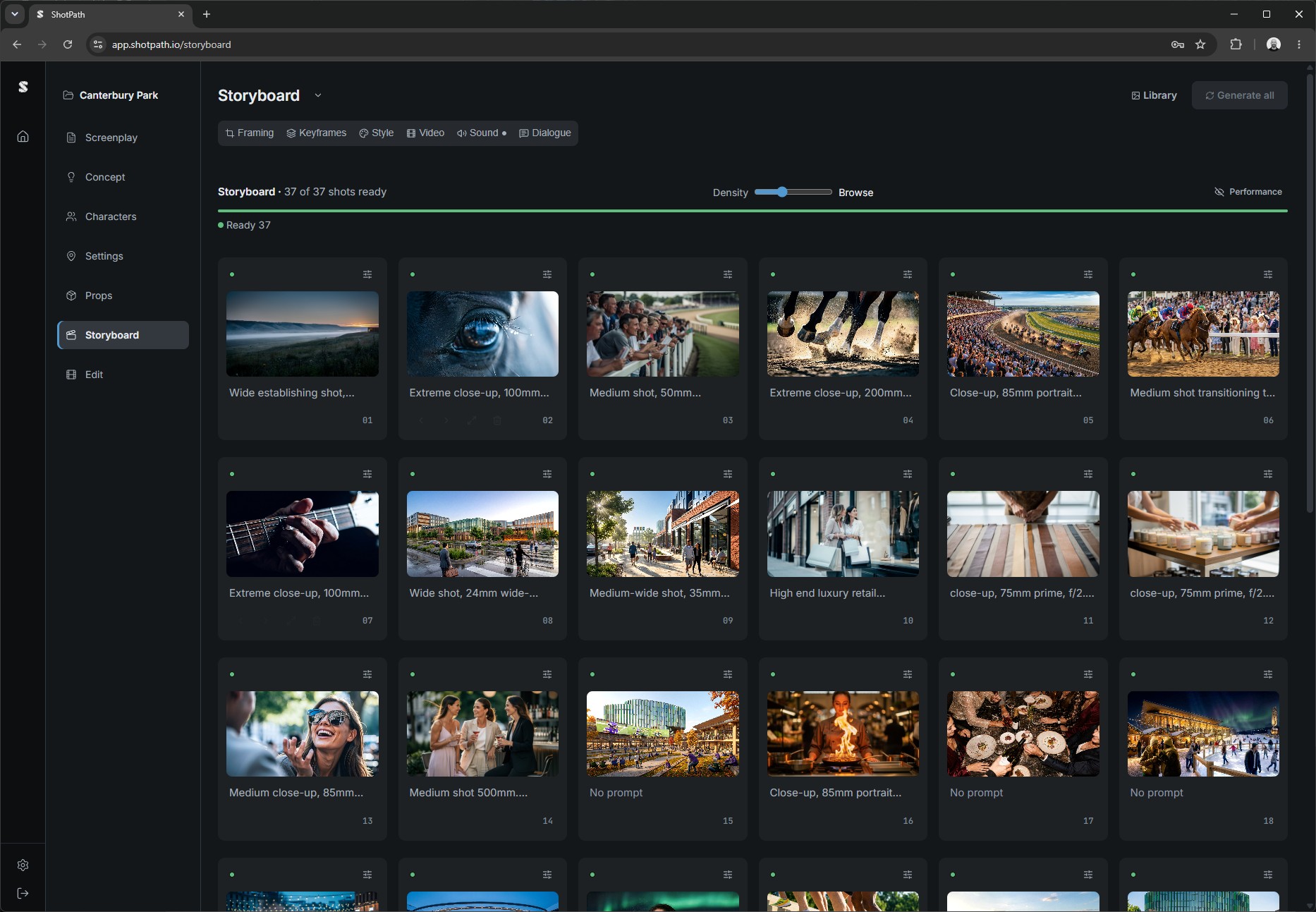
Visualize Every Shot Before You Shoot
Turn your screenplay into a complete visual storyboard. Each shot generates an AI image matched to your scene description, camera angle, and characters. Drag to reorder, regenerate individual frames, and export the full board for review.
- One image per shot, generated from screenplay data
- Character and style context injected automatically
- Drag-and-drop shot reordering
- Per-shot regeneration with custom overrides
- Multiple aspect ratios: 16:9, 9:16, 1:1, 4:3
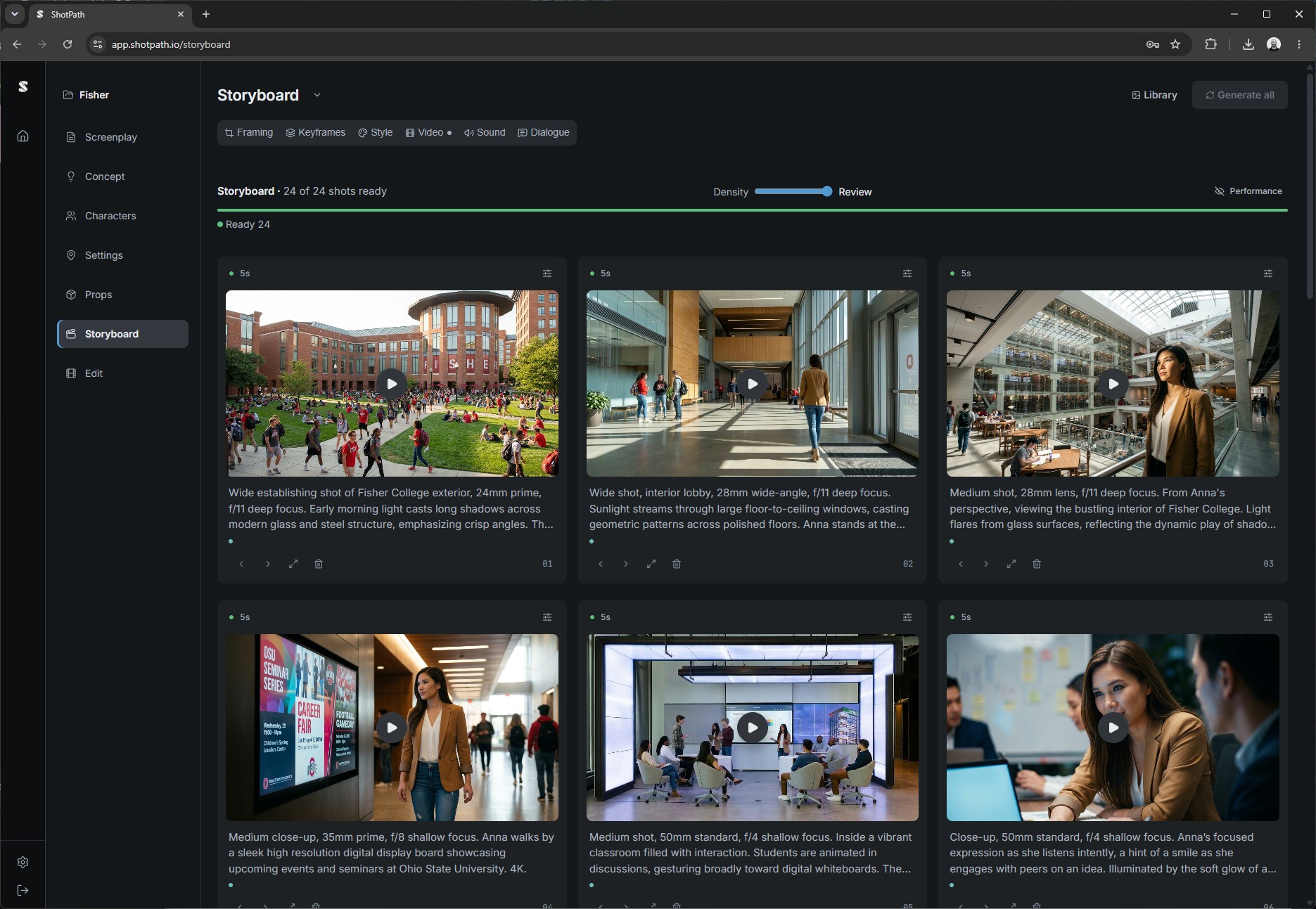
Animate Your Frames at Scale
Select a folder of images and animate them into short videos in one batch job — or send your entire Storyboard to Video with a single click. Powered by the latest image-to-video models. Monitor every clip's progress in real time.
- Send your entire Storyboard to Video in one click
- Batch animates up to 50 images per job
- Always powered by the latest image-to-video models
- Real-time per-clip status and progress
- Download all as a ZIP archive